


Circus Words: Magic Puzzle
4.6687.00 Reviews
App Specs
- Version
- 1.499.5
- Updated On
- License
- Free
- Downloads
- 1,000,000+
- Developer
- Clever Apps Pte. Ltd.
- Categories
- Word
- Platform
- Android
Screenshots
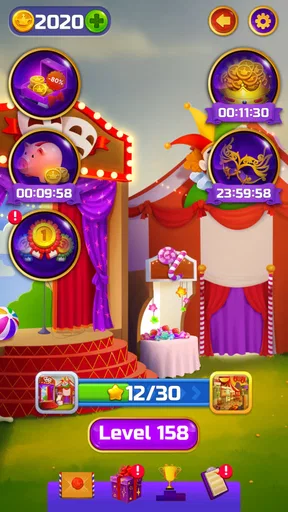
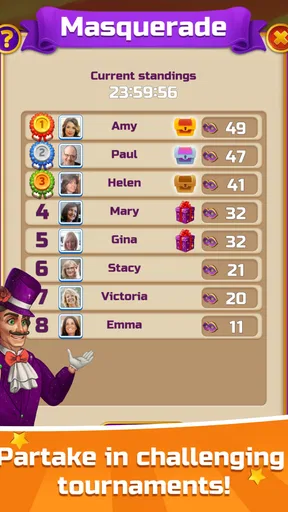
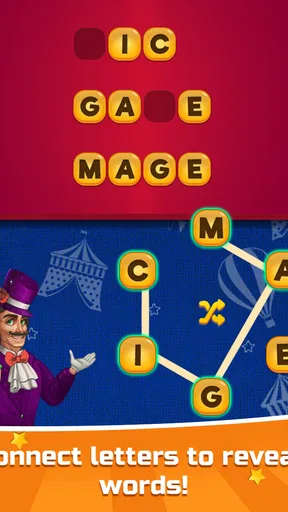
 Analysis by AppCompare
I found Circus Words: Magic Puzzle easy to understand within the first few minutes, but its real appeal is not simply that it is a free word game. It is a compact spelling and vocabulary experience built around swiping letters into words, with a circus-flavored presentation that gives the familiar format a little personality. I would recommend it to someone who enjoys short puzzle sessions, especially when the goal is to relax rather than compete under pressure.
The game comes from Clever Apps Pte. Ltd. and sits in the word-game category. It is free to start, rated for Everyone, and has reached over a million installs. Its average score of 4.6 from around fifteen thousand ratings suggests that the basic formula works well for a broad audience, although popularity alone does not tell you whether its pace and visual style will suit your particular needs.
How the word puzzles feel to use
I focus here on the swipe-and-connect mechanic, because it shapes nearly everything about a session: how quickly I can begin, what kind of attention the puzzles ask for, and whether the game feels comfortable in a spare moment. Looking at that interaction closely also makes it easier to judge when this style of word play suits me—and when another format would be a better fit.
Readability and navigation during a normal session
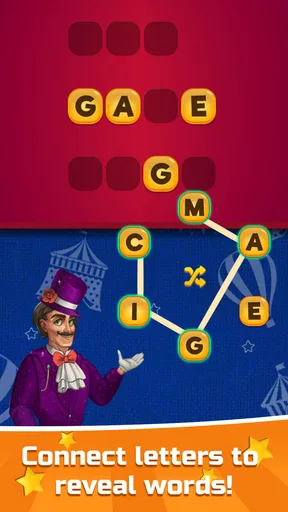
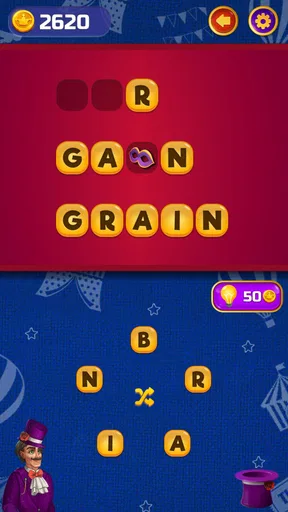
The central interaction is straightforward: I look at the available letters, connect them with a swipe, and try to form valid words. That keeps the learning curve gentle. I do not have to study a complicated rulebook or manage several menus before playing. For a casual player, this is a meaningful strength because the game communicates its main action through the puzzle itself.
The circus theme gives the presentation a more playful tone than a plain word grid. I found that useful when I wanted something lighter than a traditional vocabulary exercise. At the same time, decorative presentation can compete with the letters if you are already dealing with visual fatigue. The game is at its clearest when I focus on the letter area and treat the surrounding theme as background rather than part of the puzzle logic.
Navigation is best understood as a sequence of small decisions: inspect the letters, test a possible word, and continue looking when the obvious answer is gone. That makes the experience approachable for people who do not want a timer or a large amount of information on screen. It also means that the game rewards patience more than rapid tapping.
One useful habit is to avoid swiping immediately toward the first word I notice. I scan for short combinations, then look for longer words that may use the same letters in a different order. This is more than a vocabulary trick: it reduces unnecessary movements and helps when the screen feels visually busy. I also find it easier to play in short rounds instead of trying to force progress after my attention has started to fade.
Worth Reading Before You Choose

EA SPORTS FC Mobile 26 Is a Bigger Football Game, but It Takes Time

Flipboard Shows What News Apps Must Do Beyond the Feed

Switching to Android Auto Means Rethinking Your Driving Routine

Google Calendar Makes a Crowded Week Easier to Manage

Ludo King Makes the Most of the Minutes Between Plans

Baby Panda World Brings Quick Play to Modern Phones, but Its Game Library Feels Busy
The current version is 1.499.5, so the game has had plenty of time to settle into its established format. I would still suggest checking the version shown on your device before installing, particularly if you are using an older phone or tablet. Compatibility and visual comfort can vary between devices even when the game itself remains familiar.
Motor demands and sensory comfort
The swipe-based design is less demanding than a game that requires repeated rapid taps or precise movement across several controls. For me, the main physical requirement is a controlled drag across the letters. That can be comfortable for many players, but it is not automatically comfortable for everyone. A person with limited finger movement, tremors, or difficulty maintaining a smooth gesture may find that the core action is more tiring than it appears.
There is a practical workaround for casual use: play with the device supported on a table rather than holding it in one hand. That gives the other hand a steadier base for the swipe and reduces the need to stabilize the phone at the same time. I also prefer using a clean, dry screen because a hesitant gesture can make a simple word feel harder than it should.
The game’s visual theme may be enjoyable for players who like colorful, cheerful surroundings, but it will not be ideal for every sensory preference. If animated or decorative elements distract you, the best approach is to keep sessions brief and reduce other distractions around the device. I would not choose this as my first recommendation for someone specifically seeking a very plain, low-stimulation word interface.
Sound and visual effects can affect comfort even when they are not essential to solving the puzzle. I usually play casual word games with the device muted, especially in a waiting room, on public transport, or late at night. That also makes the experience more discreet. Because the game’s main information is carried by letters, muting the phone does not remove the central puzzle activity.
Another small but useful technique is to use a larger display when possible. A tablet can make letter groups easier to inspect and may reduce the need to hold a phone close to the face. The trade-off is portability: the game is convenient for a phone-sized break, while a larger device is better when readability matters more than carrying it everywhere.
Where it fits into everyday life
I see this game working particularly well in short, interrupted periods. Imagine waiting for an appointment with five minutes to spare: I can open a puzzle, solve a few words, and stop without needing to remember a complicated story or coordinate with other players. The same applies to a commute, provided the player is not responsible for driving and can comfortably see the screen.
It can also work as a gentle shared activity. One person can suggest possible words while another performs the swipe, which changes the game from a solitary exercise into a small conversation. That is useful for families or friends who enjoy language puzzles but do not want a competitive board game. The shared format also allows someone with reduced dexterity to participate in the thinking even if another person handles the gesture.
For language learners, the game can be a light way to notice spelling patterns and test familiar vocabulary. I would treat it as practice rather than a structured lesson. A puzzle can encourage recognition and recall, but it does not replace explanations, pronunciation work, or a course designed around a learner’s level. Players who want systematic language instruction should use a dedicated learning app alongside it.
It is also a reasonable choice for adults who want a screen activity that is less aggressive than action games. The Everyone age rating makes it suitable for a broad audience, but that does not mean every child will find the vocabulary equally easy. Younger players may need help with unfamiliar words, while older players may appreciate the chance to solve at their own pace.
What makes it different from other word games
Compared with a crossword, the swipe format removes much of the pressure of interpreting clues. I can concentrate on letter relationships instead of searching for a definition that matches a particular number of spaces. That makes it more accessible when I want a quick vocabulary challenge, although crossword fans may miss the richer clue-solving layer.
Compared with a daily word guessing game, it offers a less rigid routine. I do not need to wait for one shared puzzle or preserve a streak to feel that a session was worthwhile. This is better for irregular players who open a game only when they have time. On the other hand, people who enjoy a strong daily ritual, public scores, or a single puzzle that everyone discusses may prefer a more focused alternative.
Compared with a competitive multiplayer word game, this experience is calmer and more private. There is no need to match another player’s speed or feel embarrassed by a missed word in front of an opponent. The downside is that it may feel less exciting to someone who needs head-to-head pressure to stay interested.
The circus setting is another point of separation. It gives the spelling mechanic a recognizable identity rather than presenting it as a completely neutral letter board. I found that theme helpful for making repeated puzzles feel less clinical, but players who prefer minimalist interfaces may see it as unnecessary decoration.
Small strategies that improve the experience
My first tip is to treat every puzzle as a search space rather than a single obvious answer. Start by identifying common endings and beginnings, then test whether the remaining letters can form a longer word. This helps when a short answer is visible but does not lead to satisfying progress.
My second tip is to change posture before assuming a puzzle is difficult. If I am holding the phone at an awkward angle, the swipe can feel imprecise and the letters can seem harder to compare. Resting the device, increasing the distance between my eyes and the screen, or switching to a larger display can make the same task more comfortable without changing the game.
My third tip is to use the game as a low-pressure reset rather than a test of intelligence. When I become stuck, I stop trying to force a solution and return after a short pause. That matters because word retrieval is affected by fatigue. A break often helps more than repeatedly dragging across the same letters.
My fourth tip is to decide in advance whether optional spending fits your habits. The game is free, but in-app purchases range from $0.99 to $99.99 per item. I would approach those purchases carefully, particularly if the device is shared with children. Anyone who wants a completely purchase-free experience should review the device’s purchase controls before handing it over.
Where the experience still creates barriers
The biggest limitation is that a simple interaction is not necessarily an accessible interaction for every person. Swiping requires reliable touch control, and a player who cannot perform that gesture comfortably may struggle with the very mechanic that defines the game. I would not recommend installing it solely on the assumption that a word puzzle will be physically easy.
Visual comfort is another individual issue. Letters need to be distinguished quickly from the surrounding presentation, and people with low vision, sensitivity to color, or difficulty with busy screens may need to test the game personally. I would avoid making it the only option for a group with widely different visual needs unless everyone has had a chance to try it.
The vocabulary challenge can also vary sharply between players. Someone with a strong English vocabulary may find the early experience relaxing, while a younger player or language learner may need more time. That difference is not a flaw by itself, but it affects whether the game feels encouraging or frustrating. A shared session works best when the more experienced player offers hints instead of taking over.
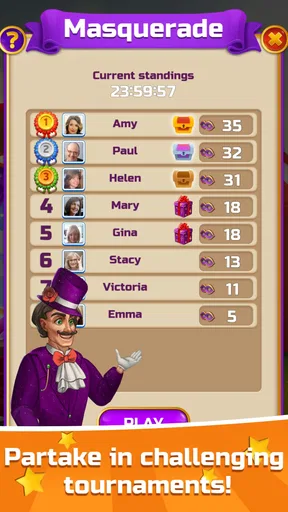
There is also a motivational trade-off. Because the appeal comes from repeated word solving, players who need a narrative, character progression, or a deep strategic system may lose interest. I would skip it if my main goal were a long-form adventure or a competitive ranking environment. Its strength is the small, repeatable puzzle, not a broad collection of game modes.
Finally, free access does not mean every player will experience the same level of convenience. The presence of optional purchases may be irrelevant to one person and a serious concern to another. I appreciate being able to begin without paying, but I still consider purchase management part of deciding whether the game belongs on a family device.
My inclusive verdict
After spending time with it, I see this as a friendly choice for people who want an uncomplicated spelling game that fits around daily life. It is especially suitable for short sessions, relaxed solo play, and informal word-solving with another person. The Everyone rating and free entry point make it easy to try, while the large install base and 4.6 average show that the format has broad appeal.
I would recommend it to a friend who enjoys vocabulary puzzles but does not want crossword clues, multiplayer pressure, or a strict daily schedule. I would also suggest it to someone looking for a quiet waiting-room game, with the phone muted and the session kept short. The most comfortable setup will depend on the player: some will prefer a phone, while others may benefit from a larger screen and a supported device.
I would be more cautious for anyone with significant difficulty performing swipe gestures, strong sensitivity to decorative visuals, or a need for a structured educational tool. In those situations, a keyboard-based word game, a simpler visual interface, or a dedicated language-learning app may be a better fit. That is not a rejection of this game; it is a reminder that its accessibility is tied closely to the player’s motor and sensory preferences.
Overall, Clever Apps Pte. Ltd. has made a pleasant, approachable word game whose best quality is its low commitment. I can start quickly, solve a few puzzles, and leave without feeling that I have abandoned a complicated system. Its strongest advantage is the balance between easy entry and enough letter-search challenge to keep a short session engaging. If that is the kind of experience you want, Circus Words is worth trying, provided the swipe interaction and playful presentation feel comfortable on your device.
Pros
- Relaxing word puzzles suitable for short play sessions.
- Magic-themed visuals give the game a distinctive atmosphere.
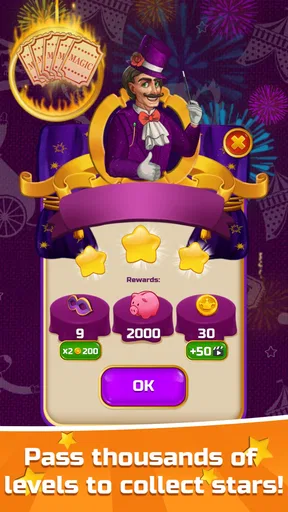
- Progression provides a clear sense of achievement.
- Helpful boosters can assist with difficult levels.
- Works well for players who enjoy vocabulary challenges.
Cons
- Some puzzles may feel repetitive after extended play.
- Later levels can become noticeably more difficult.
- Hints or boosters may be limited without additional rewards.
- The fantasy presentation may not appeal to every puzzle fan.
- Requires patience when answers depend on less common words.
FAQs for Circus Words: Magic Puzzle
What is Circus Words: Magic Puzzle?
Circus Words: Magic Puzzle is a word game built around an entertaining circus theme. Players form words by connecting or arranging available letters, then use their answers to complete levels and progress through colorful stages. The game is designed for short, relaxing sessions, but later puzzles can become noticeably more challenging and require a broader vocabulary, careful observation, and some trial and error.
How do you play Circus Words: Magic Puzzle?
Each puzzle presents a group of letters that must be combined to create valid words. Some answers are clearly required to complete the level, while additional words may provide bonuses or help with progression. The controls are generally simple and suitable for touchscreens: select, swipe, or connect letters depending on the puzzle layout. As you advance, the word combinations become less obvious and may require hints.
Can Circus Words: Magic Puzzle be played offline?
Many word puzzles can usually be played without a continuous internet connection, which makes the game convenient for travel or situations with limited data access. However, certain features may still require connectivity, including advertisements, cloud synchronization, special events, purchases, or updates. If offline access is important to you, download the latest content first and test the game before relying on it without internet.
Is Circus Words: Magic Puzzle free to download and play?
Circus Words: Magic Puzzle is generally offered as a free download, allowing players to start solving puzzles without paying upfront. Like many free mobile games, it may include advertising, optional in-app purchases, or paid items such as extra hints and other assistance. You can normally progress without spending money, although purchases may reduce waiting or make difficult levels easier.
Is Circus Words: Magic Puzzle suitable for children and beginners?
The game is approachable for beginners because its basic controls are easy to understand and the early levels introduce the word-building mechanics gradually. It can also be suitable for children who enjoy vocabulary games, although the difficulty and required word knowledge increase over time. Parents should review the store rating, advertising, and purchase settings, especially if a child will play without supervision.


